
Online Wedding RSVP Guide
Set up online wedding RSVP guests finish on their phone — deadlines, meal choices, plus-ones, wording, reminders, and tracking. Complete guide for couples.
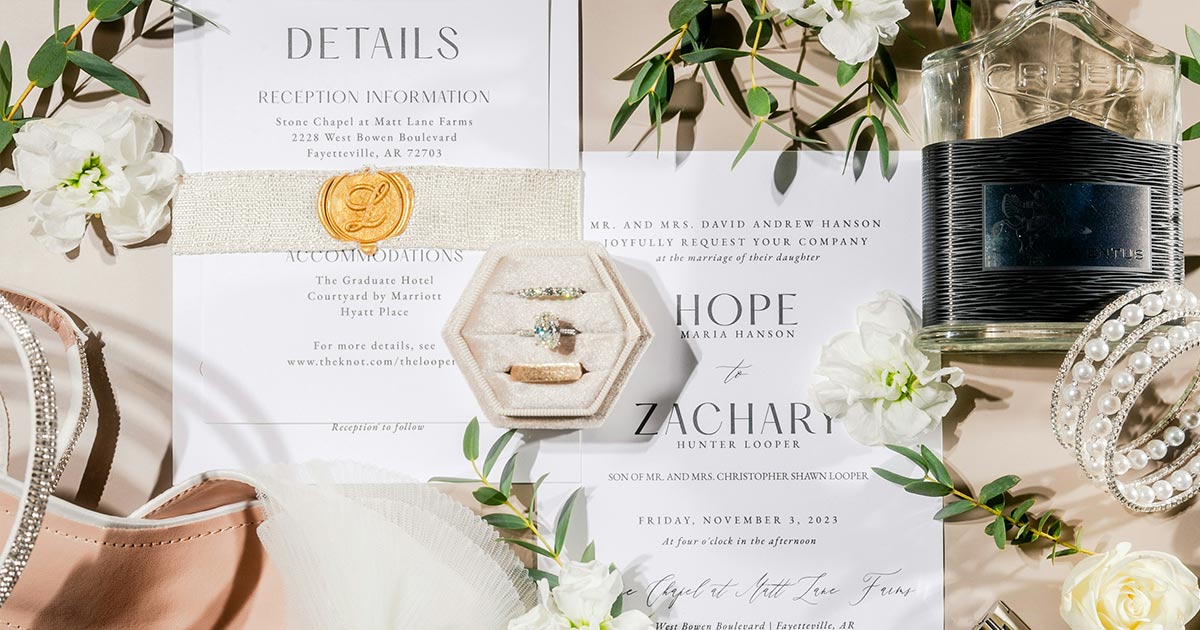
Chasing RSVP replies was the part of wedding planning I dreaded most. Three friends said “maybe,” two never opened the envelope, and one aunt mailed her card to our old apartment. Switching to online wedding RSVP on our wedding website fixed most of that — not because people became more responsible, but because we removed friction.
Here is how we set it up, worded it, and actually got to a final headcount without losing our minds.
Why Online Wedding RSVP Beats Reply Cards
Reply cards assume guests have stamps, mailboxes, and memory. Online RSVP assumes they have a phone — which they do, even at brunch.
Benefits we noticed immediately:
- Instant headcount — no waiting on snail mail
- Fewer errors — typed names and emails beat illegible handwriting
- Meal and allergy data in one export for catering
- Easy updates — guests can change from chicken to vegetarian before you lock numbers
- Fewer “did you get my card?” threads — the dashboard is the source of truth
The key is embedding RSVP on the same wedding website where guests already found the address and schedule. A separate form tool in another tab is where good intentions go to die.
Online RSVP also pairs cleanly with digital wedding invitations: one link opens the invitation experience and the response form. Product overview: online RSVP.
What Online Wedding RSVP Should Collect
Before you build fields, decide what you actually need. Every extra question lowers completion rates.
Almost always:
- Attending: yes / no (per event if you have multiple)
- Guest name(s) as they should appear on seating
- Contact email or phone for reminders
- Deadline acknowledgment (visible date near the submit button)
Often useful:
- Meal choice per attending adult
- Kid meal or “child attending” toggle
- Plus-one name (only if allowed)
- Dietary restrictions / allergies (free text)
- Song request or notes (optional, keep short)
Usually skip:
- Long surveys about how you met
- Required mailing address if you already have it
- Shipping questions that belong on a registry site
- Ambiguous “maybe” as a primary option (it becomes a parking lot)
If you host a rehearsal dinner or welcome party for a subset of guests, collect those RSVPs separately or with clear event toggles so Aunt Linda does not accidentally RSVP to a dinner she was not invited to.
Step 1: Choose Open Form vs Guest List Mode
Two common models:
Open RSVP link
Anyone with the URL can respond. Simple to share. Risk: surprise plus-ones, typos creating duplicate households, or a forwarded link reaching people you did not invite.
Guest-list / unique links
You preload names; guests open a personal link or look themselves up. Stronger control for seating and plus-ones. Slightly more setup. Best for larger weddings and strict headcounts.
We used guest-list mode because our venue charged per plate and we had promised specific plus-ones only. If your wedding is tiny and trust is high, an open form with a clear “invitation is for named guests only” FAQ line can work.
Step 2: Set the RSVP Deadline
Most couples set online wedding RSVP due 4–6 weeks before the wedding. That window leaves room for:
- One reminder campaign
- Personal follow-ups
- Final catering numbers
- Seating chart without panic
Adjust earlier when:
- Destination travel or hotel blocks expire
- Vendors need counts 6+ weeks out
- You have a huge guest list and slow responders historically
Adjust later only when details were genuinely late — and accept that seating week will be stressful.
Put the deadline in three places: invitation wording, website hero or RSVP section, and reminder messages. Guests should not have to hunt for “by when.”
Related timing for when invitations go out: when to send wedding invitations.
Step 3: Write Clear Online RSVP Wording
Wedding RSVP wording should sound like hospitality, not a corporate form error state.
Formal examples:
Kindly respond by August 1
Please reply at [wedding website URL] by the first of August
The favour of a reply is requested by August 1
Warm / modern examples:
Please RSVP by August 1 so we can save you a seat
Let us know if you can celebrate with us — reply by August 1
One quick form, promise: RSVP by August 1 at [URL]
Online-specific line to pair with digital invites:
Please RSVP on our wedding website by August 1 — the same link has maps, schedule, and dress code.
Avoid guilt language (“We need your response ASAP!!!”) on the first ask. Save urgency for the reminder.
For invitation-wide phrasing (hosts, dates, reception lines), use the wedding invitation wording guide. This article stays focused on the response itself.
Button and form microcopy that works
- Button: “Submit RSVP” or “Send reply” — not “Continue” into mystery steps
- Yes path: “Joyfully accepts” is fine if it matches your tone; “Yes, I’ll be there” is clearer for mixed-age lists
- No path: “Respectfully declines” or “Can’t make it” — make declining easy so people do not ghost
- Confirmation: “You’re all set — we can’t wait” / “We’ll miss you — thank you for letting us know”
Step 4: Meal Choices Without Chaos
Meal questions are where online wedding RSVP earns its keep — and where bad UX creates caterer emergencies.
Best practices:
- Show meal options only after someone selects “Yes.”
- Offer a short list (2–4 mains). Too many choices slow everyone down.
- Repeat options per guest if households RSVP together.
- Always include a free-text allergy field.
- Note vegetarian / vegan / gluten-free explicitly if your caterer needs those buckets.
- Export a clean spreadsheet: guest name, meal, allergy notes, event.
Do not put meal choices on the invitation itself. The invite points to RSVP; the form does the work.
If kids eat a simpler plate, add a child meal option rather than inventing adult choices for toddlers.
Step 5: Plus-Ones, Kids, and Hard Policies
Online RSVP cannot fix unclear policy — it can only enforce what you decided.
Plus-ones
- Invitation addressed to “Alex Rivera and Guest” → allow a name field
- Invitation addressed to “Alex Rivera” only → do not show a plus-one field
- FAQ line for soft declines: “We have reserved [N] seats in your honor and are unable to accommodate additional guests.”
Kids
- Adults-only: say so in FAQ and omit child meal fields
- Kids welcome: ask ages if high chairs or kids’ meals matter
- “Immediate family only” children: guest-list mode prevents surprises better than hope
Inconsistency between what Mom promised and what the form allows will create drama. Align with parents before you publish.
Step 6: Put RSVP Where Guests Already Look
Placement tips for a wedding RSVP website experience:
- Persistent “RSVP” in the navigation
- A clear call-to-action after schedule / map sections
- Deadline visible near the form, not only in a PDF nobody opens
- Mobile-sized tap targets — thumbs, not mouse precision
If you use an animated digital invitation opener, do not trap RSVP behind a non-skippable thirty-second video. Ceremony energy is great; blocking replies is not.
QR codes on paper invites and table signs should open the same live site with RSVP ready — see how to create a wedding QR code.
Step 7: Test Like a Slightly Confused Guest
Before you announce RSVP is open:
- Complete a Yes with meal + allergy on your phone
- Complete a No path and confirm it records
- Try a plus-one allowed household and a plus-one denied household
- Submit twice to see if duplicates appear
- Check the couple dashboard / export
- Ask one friend outside the wedding party to RSVP without coaching
Fix friction before eighty people hit the same bug on Friday night.
Reminding Guests Without Becoming the Villain
Even the best online wedding RSVP needs follow-up. A humane sequence:
Two weeks before deadline: One group message or email — friendly, short, link repeated.
One week before: Soft reminder to non-responders only if your tool supports it.
After deadline: Personal texts or calls to remaining households. Start with VIPs and anyone affecting catering minimums.
Sample reminder:
Hi! Quick nudge — please RSVP at [URL] by Friday so we can give final numbers to the venue. Thank you — means a lot.
What not to do: public shaming in the family group chat, daily spam, or passive-aggressive stories.
Some guests will still need a phone RSVP. Offer it gracefully for elders; enter their answers yourself into the system so your export stays complete.
Tracking Headcount Like a Project Manager
Treat the dashboard as operations, not vanity metrics.
Weekly during RSVP season:
- Total invited vs responded vs outstanding
- Yes count by event
- Meal tallies vs caterer due dates
- Plus-one names still “TBD”
- Address book gaps for day-of logistics
Export a backup CSV every week. Tools fail at inconvenient times; a spreadsheet in your drive is boring and blessed.
After the deadline, freeze a “final for catering” snapshot even if a few emotional exceptions trickle in later. Document exceptions so you do not double-count.
Online RSVP for Destination and Multi-Event Weekends
Complexity rises when guests RSVP to more than dinner:
- Welcome drinks Friday
- Ceremony + reception Saturday
- Farewell brunch Sunday
Use per-event attendance toggles. A guest may come to ceremony but miss brunch — that is normal, not rude.
For destination weddings, collect rough travel intentions early (even before formal RSVP) via your wedding website FAQ or a soft “planning to fly?” note — then run formal RSVP on the invitation timeline. Do not mix vague interest polls with final meal counts in the same form field.
Privacy, Data, and Trust
You are collecting names, emails, and sometimes dietary health info. Keep trust:
- Only ask what you will use
- Do not publish individual RSVP responses on a public page
- Avoid exposing full guest lists on an open site
- Use a link that is shareable but not necessarily search-indexed if you prefer privacy
Guests should feel they are talking to you, not feeding a marketing list.
Common Online RSVP Mistakes
- Deadline missing or contradictory across invite, site, and texts
- Maybe as a default that never resolves
- Meal questions for No responses (confusing and noisy data)
- Open form + strict venue capacity with no guest list controls
- RSVP on a different URL than the wedding website
- No confirmation message, so guests submit twice
- Ignoring the decline path, which encourages ghosting
- Waiting until the week of invitations to test the form
- Parents promising plus-ones the form forbids
- Never sending a reminder, then panicking at the venue’s count deadline
Sample FAQ Lines to Publish Beside RSVP
Add these near the form to deflect DMs:
- Plus-ones: “Please respond only for guests named on your invitation.”
- Kids: “Our celebration will be adults-only; thank you for understanding.”
- Deadline: “We need replies by August 1 for seating and catering.”
- Changes: “Need to update your reply? Use the same link before August 1.”
- Trouble submitting: “Email us at [address] and we’ll record your RSVP.”
Short beats clever.
Hybrid: Paper Invite, Digital Reply
You can still mail formal stationery and collect replies online. Classic approach:
- Invitation suite with RSVP card wording pointing to the website
- Or a QR code instead of a reply envelope
- Online form captures meals and headcount
This hybrid keeps etiquette theater for relatives who want paper, while your catering export stays digital. Many couples find it the peace treaty between tradition and sanity.
Checklist: Launch Online Wedding RSVP
- Deadline chosen and printed everywhere consistently
- Open vs guest-list mode decided
- Events listed with separate attendance where needed
- Meal options finalized with caterer language
- Allergy field enabled
- Plus-one rules match invitations
- Kids policy reflected in fields + FAQ
- Form tested on two phones
- Confirmation messages written for Yes and No
- Export/dashboard access confirmed for both partners
- Reminder dates on the calendar
- Backup contact path for non-digital guests
- QR / invite links point to the live RSVP page
Wedding RSVP Questions Worth Asking (and Skipping)
Useful optional questions beyond meals:
- Arrival city / hotel (destination logistics)
- Need accessibility seating or quiet space
- Interested in welcome drinks (if capacity limited)
- Song request (cap characters)
Skip or rethink:
- “What’s your favorite memory of us?” as a required field
- Income-adjacent gift questions
- Public wall posts that expose private replies
- Captchas so hostile that elders abandon the form
Every field should earn its place by improving hospitality or vendor accuracy.
Seating Charts and Online RSVP Exports
Your seating chart will go faster if exports include:
- Household grouping
- Attendance by event
- Meal codes your caterer recognizes
- Allergy notes in a dedicated column
- Plus-one names finalized (no “TBD” left)
Build the chart from the export, not from memory of texts. When a guest changes RSVP after you seat them, update both systems the same hour — split-brain seating is how duplicates happen.
Cultural and Religious Considerations
Some families expect reply cards as ritual. You can honor that and still run online wedding RSVP:
- Mail a card that says replies are gladly accepted online
- Offer a phone number for verbal RSVP entered by you
- Keep formal wording while using a modern form
Online is a method, not a values statement. Frame it as convenience for guests who live far away or hate stamps — which is most people under ninety and many above.
Sample Reminder Sequence (Copy/Paste)
Email subject: RSVP by August 1 — [names] wedding
Body:
Hi! We’re finalizing seats and meals. Please RSVP at [URL] by August 1. The same page has maps, dress code, and hotel info. Thank you — it helps more than you know.
Text nudge:
Quick RSVP reminder for [date] — [URL] by Aug 1 💍
Final personal text:
Hey [name] — did you still want to join us on [date]? No pressure either way; we just need a yes/no for the venue.
Tone stays human. Automation without warmth feels like collections debt.
Integrating QR Codes With Online RSVP
Print a wedding QR code on invitations and welcome signs so guests never hunt for the link. The scan should open the RSVP-ready site, not a dead marketing page. Test the printed code the same week you open RSVP — not the night before envelopes mail.
What We Would Do Differently
We would have closed RSVP a week earlier than we did. Digital makes it easy to be soft, and soft deadlines create hard seating nights. We would have banned “maybe” entirely. And we would have given one relative a private phone RSVP option on day one instead of pretending everyone loves forms.
We would not go back to reply cards as the primary system. Online wedding RSVP, living on the same site as our maps and schedule, was the first planning tool that felt like it repaid the evening we spent setting it up.
Ready to Collect RSVPs Without the Chase?
If you want online wedding RSVP built into a guest-ready site — meal choices, deadlines, mobile forms, and a link you can share by text or QR — explore Join Wedding online RSVP. Pair it with wedding websites, publish once, and let guests answer where they already read the plan.
Online wedding RSVP will not make every cousin punctual. It will make the punctual path obvious — and that is usually enough to get you a headcount you can trust.
Build your wedding website
Premium templates, RSVP, QR code, and analytics — one payment, publish tonight.
See this feature View templatesFAQ
Is online RSVP rude?
No — it is standard now. Guests prefer tapping a form on their phone over finding a stamp. What feels rude is making RSVP hard to find or leaving the deadline unclear.
When should RSVP be due?
Most couples set the deadline 4–6 weeks before the wedding. That gives you time for seating, catering counts, and follow-ups without paying rush fees. Destination weddings often need earlier deadlines.
Can I collect meal choices online?
Yes. Add options per event (ceremony reception, rehearsal dinner) and a free-text field for allergies. Export everything for your caterer.
How do I handle plus-ones?
Use guest-list mode with unique links, or ask for the plus-one name in the form only when your invite includes "and guest." Be consistent with what you promised on the invitation.
What if guests ignore online RSVP?
Send one reminder email or text, then follow up personally with close friends and family. A short personal message works better than a mass guilt trip.
Does RSVP need to be on my wedding website?
It should live where guests already read your details — usually the same page as schedule and map. Separating RSVP into another tool creates drop-off.
What is the best wedding RSVP wording?
Keep it warm and clear: "Kindly respond by [date]" plus a one-line nudge that the form is on your wedding website. Formal and casual examples are in this guide.
Can guests change their online RSVP?
Ideally yes — until your deadline or until you lock catering. Letting people update chicken to vegetarian online is better than last-minute text chaos.