
Digital Wedding Invitations Guide
Complete guide to digital wedding invitations: digital vs print, cost, RSVP, wording, how to send online wedding invitations by link, text or QR — and when a hybrid approach works best.
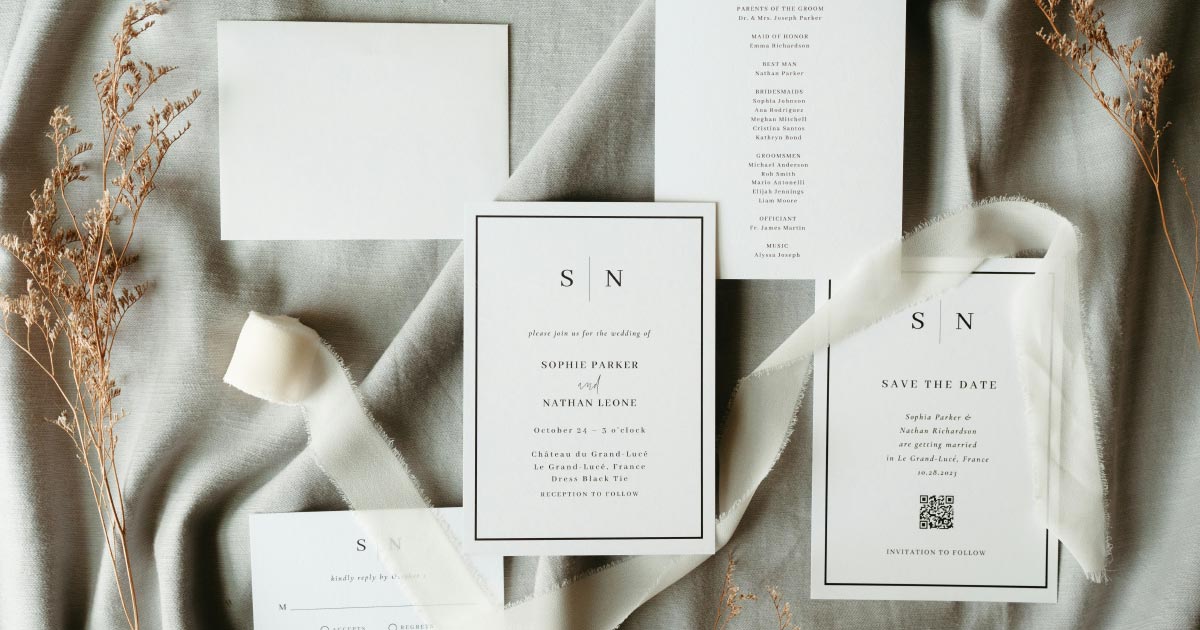
We almost ordered four hundred letterpress invites before doing the math: paper, envelopes, inner envelopes, calligraphy, postage — and then a reprint when our venue moved cocktail hour by forty-five minutes. That is the moment digital wedding invitations stopped feeling like a compromise and started feeling like the only sane plan. We still wanted something that felt ceremonial when guests opened it. We just did not want to reprint the whole suite because the bar menu changed.
If you are comparing digital vs print, hunting for online wedding invitations with RSVP, or trying to send wedding invitations online without looking casual, this guide walks through the full decision — formats, cost, etiquette, wording, sharing channels, timelines, hybrid setups, and how to build an invitation guests actually finish reading on their phones.
What Counts as a Digital Wedding Invitation?
A digital wedding invitation is any invitation delivered electronically that tells guests they are invited and where to find the details. At the weak end of the spectrum, that is a PDF flyer in an email. At the strong end, it is a live digital wedding invitation website: animated opening, music, your story, map, weekend schedule, dress code and online RSVP in one shareable link.
Three formats show up most often:
1. PDF or image file
Cheap and fast. You design a graphic, attach it to an email or drop it in a group chat, and hope people save it. There is usually no RSVP, no map that updates, and no way to fix a typo without sending a second message that half the list will miss. Fine for a tiny elopement dinner. Fragile for a 120-person wedding with travel.
2. DIY website or form page
More flexible. You can paste details into a generic site builder or form tool. Guests get a link. The risk is mobile layout: fonts that look elegant on your laptop and tiny on a phone, RSVP buried three scrolls down, or a homepage that still looks like a marketing landing page instead of an invitation.
3. Premium invitation website (animated wedding invitation)
You choose a designer template, fill in names, date, venues and RSVP settings, then publish. Guests open a cinematic reveal — envelope, curtain, fade — then land on clear details and a response form. This is the format we mean when we say digital wedding invitations in this guide: not a file attachment, but a guest experience that replaces (or complements) paper.
The third option won for us because we wanted people to feel something when they opened the link. A calendar invite says “you have an event.” A good online wedding invitation says “you are invited.”
Why Couples Switch to Digital Wedding Invitations
Paper will always have romance. Digital wins on logistics. These are the reasons we hear most — and lived ourselves:
Cost scales with print, not with guests.
With print, every additional household means more paper, postage and potential calligraphy. With digital wedding invitations, one site serves ten guests or three hundred. You are not buying “per invite” units after you have paid for the site.
RSVP lives on the invitation.
Digital wedding invitations with RSVP remove the return envelope. Guests tap yes or no on the phone they already used to open your link. You see responses in a dashboard instead of waiting on the mail and deciphering handwriting.
Updates do not require a reprint.
Ceremony moved indoors? Shuttle added? Dress code clarified? Edit the live page. Guests who open the link next week see the new version. That alone prevented our near-miss reprint when cocktail hour shifted.
Delivery is immediate.
Send wedding invitations online and they arrive in seconds by text, email or WhatsApp. No postal buffer, no “did it get lost?” anxiety for international guests.
Analytics tell you who opened what.
Not every couple needs charts, but knowing which sections guests visit (map, schedule, RSVP) helps you tighten the page and follow up smarter.
None of this means paper is wrong. It means digital wedding invitations solve problems print creates — especially for modern guest lists that already live on phones.
Digital vs Print: An Honest Comparison
| Digital wedding invitations | Printed invitations | |
|---|---|---|
| Cost per guest | Low after one site payment | Rises with every household |
| RSVP tracking | Built-in online form | Return cards + postage + spreadsheet |
| Last-minute changes | Edit the live link | Reprint or mass text apology |
| Keepsake factor | Screenshot, printed QR card, or hybrid suite | Physical object on the fridge |
| Delivery speed | Instant | Days to weeks |
| Formal feel | Depends on design and wording | Strong when production is high quality |
| Accessibility | Works on any phone with a browser | Requires literacy with paper mail |
| Eco impact | No paper or shipping per guest | Paper, ink, transport |
Print still wins if your families expect a traditional suite, you love letterpress as an object, or many guests are offline. Digital wins if budget, timeline, travel or RSVP accuracy matter more than a stack of envelopes.
We did not treat it as ideology. We treated it as product design for our guests.
Are Digital Wedding Invitations Free?
Search interest in “digital wedding invitations free” is high — and understandable. Free options exist, but free usually means trade-offs:
- Platform branding on the invite
- Guest caps or paywalls for RSVP exports
- Ads or upsells that interrupt the guest experience
- Monthly subscriptions that continue after the wedding
- Templates that look generic next to a carefully printed suite
If “free” means zero dollars and zero branding, you will rarely get a premium animated invite with unlimited guests and clean RSVP. If “free” means free to send after a one-time purchase of a wedding invitation website, that model is closer to how many couples actually budget: pay once, host for the season, stop paying when the wedding is over.
Ask four questions before you commit to any free tool:
- Will guests see another company’s logo on our invitation?
- Is RSVP included, or locked behind a higher plan?
- What happens to our site and guest data after the wedding?
- Are we renting a subscription or buying access for a fixed period?
A clear one-time price with no visible branding is usually calmer than a free invite that looks unfinished.
Digital Wedding Invitations with RSVP
RSVP is where digital stops being a pretty flyer and becomes wedding infrastructure. Digital wedding invitations with RSVP should let you:
- Collect attending / not attending
- Set a deadline guests can see
- Ask meal choices and dietary notes
- Control plus-ones by household
- Invite people to ceremony, reception or both
- Export responses for your caterer and seating chart
Put the RSVP on the same page as the invitation details. Sending a beautiful link that then forces guests into a second Google Form is how responses die.
For deadlines, wording and meal questions, pair this guide with our online wedding RSVP guide. For timing of the invitation itself, use when to send wedding invitations — digital delivery is instant, but guests still need planning time.
What to Include on a Digital Wedding Invitation
Think like a guest opening your link on a train with one thumb free. They need:
- Who — couple names (and hosts, if your culture includes them)
- When — date, ceremony time, reception time
- Where — venues with map links
- How to dress — clear dress code in one line
- How to reply — RSVP with deadline
- What else — travel, lodging, weekend events, FAQ, registry if you want it
Opening animation is optional but powerful. A short envelope or curtain reveal signals occasion. Keep it brief — guests should reach details within a few seconds, not wait through a film.
If the invitation is your full wedding website, follow the structure in what to put on a wedding website and skim wedding website examples for invitation-first layouts. For building the site step by step, see how to make a wedding website.
How to Word Digital Wedding Invitations
Medium changes delivery. It should not destroy tone. The fastest way to make digital feel cheap is casual copy: “hey guys here’s our wedding link lol.”
Write the invitation the way you would write paper, then add one clear call-to-action:
You’re invited to the wedding of [Name] and [Name].
Saturday, the twelfth of September, two thousand twenty-six.
Ceremony at four o’clock in the afternoon.
Please RSVP by August first at our wedding website.
Subject lines and text messages matter as much as the card:
- Email subject: “You’re invited to the wedding of Maya & Jordan”
- Text / WhatsApp: “You’re invited — open our wedding invitation for details and RSVP: [link]”
- Avoid: “Website,” “Check this out,” or a bare URL with no invitation language
Formal, casual and blended examples live in our wedding invitation wording guide. Use the same voice on the digital card, the email and the reminder.
How to Send Wedding Invitations Online
Sending is the part couples overthink. You already have the channels your guests use every day.
Text message
Highest open rate for many friend groups. Keep the message short, formal enough, and include one link only.
Best for parents’ friends, work colleagues and anyone who prefers inbox over chat. Attach nothing if the site holds the full experience — attachments get blocked or ignored.
WhatsApp or iMessage groups
Useful for international guests. Send privately to households when possible so RSVP feels personal, not like a broadcast in a noisy chat.
Wedding QR code
Print a QR on a save-the-date, detail card, welcome sign or place card insert. Guests scan and land on the digital invitation without typing a URL. Our how to create a wedding QR code guide covers sizes and placement for print.
In-person
Hand a printed card with a QR to elders who love paper. They still get the keepsake; you still get live RSVP.
Whatever channel you choose, send from a real person — not a no-reply marketing address — and make sure the link works on both iPhone and Android before you blast the list.
Hybrid Approach: Paper Plus Digital
You do not have to pick a side. The strongest modern plan for many weddings is hybrid:
- Mail or hand-deliver a physical save-the-date or formal invitation card.
- Print a wedding QR code on the insert pointing to your full digital wedding invitation.
- Email or text the same link to anyone who lives far away or prefers phones.
- Update the live site when details change — zero reprints.
- Use online RSVP on the site as the only response path (or the primary one).
Hybrid gives older relatives a object they understand and younger guests the experience they expect. It also protects you when the schedule evolves after the printer’s deadline.
When Digital Alone Is Enough
Go fully digital when:
- Most of your guest list is comfortable on phones
- Your budget is tight or your guest list is large
- Your timeline is short and print production would slip
- You are planning a destination wedding and need instant international delivery
- You want RSVP data in one dashboard without return postage
We know couples who sent only animated links and saw RSVP completion faster than friends waiting on reply envelopes. Digital alone is not “less formal” if the design, wording and music match the wedding you are actually throwing.
Timeline: When to Send Digital Wedding Invitations
Digital delivery is instant, but guests still need calendar time. Use the same planning windows as print, without the postal buffer:
| Wedding type | Send digital invitation | Set RSVP deadline |
|---|---|---|
| Local | 6 weeks before | 2–3 weeks before |
| Regional / travel | 8 weeks before | 3–4 weeks before |
| Destination | 3–4 months before | 6–8 weeks before |
| Holiday weekend | 8–10 weeks before | 3–4 weeks before |
Send save-the-dates earlier if you can (often 6–12 months out). The full digital invitation should wait until ceremony time, venues and dress code are confirmed — or live on a site you can update safely after sending. Details and edge cases are in when to send wedding invitations.
Etiquette Questions Couples Actually Ask
Are digital wedding invitations tacky?
Only when they look accidental. A designed animated invitation with clear wording is not tacky. A blurry screenshot in a group chat is. Invest in presentation the same way you would invest in paper stock.
Is it rude to skip paper entirely?
Not if your community is fine with it. If one side of the family expects a suite, hybrid is the diplomatic answer. Ask parents early; do not discover the expectation three weeks before the wedding.
Do we still need calligraphy and envelopes?
Not for a digital-only send. If you mail a hybrid card, keep production simple: good paper, clear QR, short invitation line. The website carries the detail load.
What about guests without smartphones?
Offer a phone number they can call, mail a small printed card, or have a family member RSVP on their behalf. Design for the majority; plan a human backup for the exceptions.
Common Mistakes with Online Wedding Invitations
- Sending a work-in-progress link. Publish only when names, date, venues and RSVP work. You can add FAQ later; do not send a broken first impression.
- Hiding the RSVP. If guests must hunt, they bounce. Put the response near the top or after a short schedule.
- Too many links. One invitation URL. Not a link tree of five tools.
- Casual tone. Match the formality of the wedding.
- No reminder. Send one polite nudge before the RSVP deadline. Digital makes follow-up easy — use that.
- Forgetting offline guests. Identify who needs paper or a phone call before you hit send.
- Choosing free tools that brand your day. Guests should remember your names, not a SaaS logo.
How to Build Your Digital Invitation Site
Treat the invitation as a focused wedding website:
- Choose a template that matches your vibe — formal, garden, minimal, evening black-tie.
- Add names, date, venues, schedule, dress code.
- Turn on online RSVP with your real deadline and meal questions.
- Add travel and FAQ if guests are flying in.
- Preview on your phone, then a second phone.
- Download a QR code for print pieces.
- Publish and share one link everywhere.
Browse wedding website templates if you want to see animated openings before you commit. Feature depth for the product experience lives on digital wedding invitations.
Checklist Before You Hit Send
- Names and spelling checked by both partners
- Date, times and venues confirmed with vendors
- Map links open correctly on mobile
- Dress code is one unambiguous line
- RSVP deadline visible and form tested end-to-end
- Meal and plus-one rules match what you told parents
- Music (if any) can be muted by the guest
- No platform branding on the guest view
- QR code printed at a scannable size
- Reminder message drafted for two weeks before the deadline
- Backup plan for guests who will not use a phone
What We Would Do Differently
We would have decided hybrid earlier instead of almost ordering a full print suite we did not need. We would have written the invitation wording before designing the page — copy drives layout more than the other way around. And we would have set the RSVP deadline earlier; digital makes it easy to wait, and waiting always compresses your seating week.
We would not go back to print-only. The live link that survived our cocktail-hour change was worth more than any letterpress regret.
Ready to Send Digital Wedding Invitations?
If you want online wedding invitations that feel like an event — animated opening, designer template, digital wedding invitations with RSVP, QR sharing and unlimited guests — explore Join Wedding digital wedding invitations. One payment, no subscription after the wedding, and a link you can update when plans shift.
Pick a template, publish the same evening, and send wedding invitations online the way your guests already communicate: one beautiful link, on every phone.
Build your wedding website
Premium templates, RSVP, QR code, and analytics — one payment, publish tonight.
See this feature View templatesFAQ
Are digital wedding invitations tacky?
Not when they look and feel intentional. A polished animated invite with your names, date, venues and RSVP reads as premium — especially compared with a plain PDF attachment or a long text message with ten different links.
Are digital wedding invitations free?
Some basic tools offer free digital wedding invitations with ads, limited guests or watermark branding. Premium invitation websites usually charge a one-time fee that includes hosting, RSVP tracking and designer templates without a monthly subscription.
Do digital wedding invitations include RSVP?
The best ones do. Digital wedding invitations with RSVP let guests respond on the same link where they see the schedule, map and dress code — so you are not chasing separate reply cards or spreadsheet chaos.
Are digital invites cheaper than print?
Usually yes. Print adds paper, envelopes, calligraphy and postage per guest, then more cost if details change. One digital invitation site covers sharing, RSVP and live updates for your whole guest list.
Can I still send paper invites with a digital invitation?
Absolutely. Many couples mail a formal card or save-the-date with a QR code that opens the full digital wedding invitation — a hybrid that keeps a keepsake and a live, updatable guest experience.
What should a digital wedding invitation include?
Couple names, date, ceremony and reception times, venues, dress code, RSVP, and travel or FAQ notes if guests are coming from out of town. An opening animation is optional but sets a ceremonial tone before the details.
Can I update details after sending digital invitations?
Yes — that is a major advantage over print. Change the ceremony time, add shuttle info or update hotel blocks on your live site; guests always open the current version at the same link.
How do I send wedding invitations online?
Publish your digital invitation, then share the link by text, email, WhatsApp or a wedding QR code on a printed card. Keep the wording formal enough that the message feels like an invitation, not a casual calendar ping.